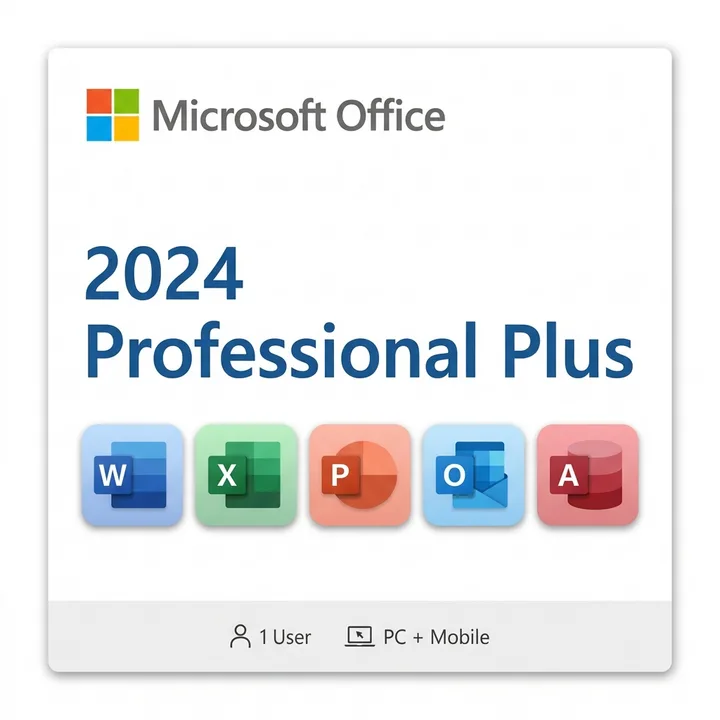
Office 2024 Professional Plus system requirements determine whether your Windows PC can run this powerful productivity suite—here's everything you need to know before upgrading.
Understanding Office 2024 Professional Plus System Requirements
Before investing in Office 2024 Professional Plus, it's essential to verify your Windows computer meets the minimum specifications. Office 2024 Professional Plus system requirements have been streamlined compared to earlier versions, but your hardware still needs to meet certain baseline standards to ensure smooth performance and full feature access.
Microsoft designed Office 2024 to run efficiently on modern Windows systems while maintaining backward compatibility with business environments. Whether you're upgrading from Office 2019 or switching from an older version, understanding these requirements prevents installation headaches and ensures you get the best experience.
Minimum Processor and RAM Requirements
Your CPU and memory are critical for Office 2024 Professional Plus performance. Microsoft requires a 1.6 GHz processor or faster with at least two cores for stable operation. Most processors from the last decade meet this baseline, including Intel Core i3 or AMD Ryzen 3 equivalents and newer.
For RAM, 4 GB is the absolute minimum, though 8 GB is strongly recommended for multitasking and smooth operation. If you're running multiple Office applications simultaneously or working with large spreadsheets and databases, 16 GB provides noticeably better responsiveness.
- Minimum: 1.6 GHz dual-core processor
- Recommended: 2.0 GHz or faster quad-core processor
- Minimum RAM: 4 GB
- Recommended RAM: 8 GB or higher
Storage Space and Hard Drive Considerations
Storage requirements for Office 2024 Professional Plus are straightforward but worth confirming. You'll need at least 10 GB of available disk space for the initial installation. This includes space for the core applications—Word, Excel, PowerPoint, Outlook, Access, and Publisher—plus supporting files.
Solid State Drives (SSDs) deliver significantly faster application launch times and file operations compared to traditional Hard Disk Drives (HDDs). If your system currently uses an HDD, upgrading to an SSD will dramatically improve your Office experience beyond meeting minimum requirements.
Windows Operating System Compatibility
Office 2024 Professional Plus runs on Windows 10 (version 22H2 or later) and Windows 11. If you're using an older Windows 10 build, you may need to run Windows Update before installation succeeds. Windows 11 users enjoy the latest optimization benefits and security features, though Windows 10 remains fully supported.
For the best performance and security, Microsoft recommends staying current with the latest Windows updates. Regular updates patch vulnerabilities and improve Office integration with your operating system. Check your Windows version by pressing Win+Pause or visiting Settings > System > About.
Display and Graphics Requirements
Office 2024 Professional Plus supports displays with 1024 × 768 minimum resolution, though 1366 × 768 or higher is recommended for comfortable daily use. The suite runs on integrated graphics found in modern laptops and desktops—dedicated graphics cards are not required.
If you're working with large spreadsheets, complex presentations, or multiple documents side-by-side, a larger monitor or higher resolution display significantly boosts productivity. Many professionals use dual monitors with Office 2024 Professional Plus to maximize workflow efficiency.
Internet and Additional Requirements
While Office 2024 Professional Plus includes locally-installed applications, an internet connection is required for initial activation and periodic verification. A broadband connection is recommended for downloading updates and accessing cloud features through OneDrive and Microsoft 365 integration.
If you plan to use advanced cloud collaboration features, a stable internet connection ensures seamless syncing and real-time co-authoring. For offline work, the suite functions fully without internet after initial activation, making it ideal for professionals who travel or work in environments with limited connectivity.
Compatibility with Business Systems
Office 2024 Professional Plus maintains strong compatibility with enterprise systems and legacy file formats. The suite supports .doc, .docx, .xls, .xlsx, and all standard Microsoft formats, ensuring smooth transitions from older Office versions. Access database compatibility is particularly important for businesses managing legacy databases.
For organizations evaluating the entire Office 2024 PC software suite, compatibility extends to network drives, corporate email systems, and business applications. IT departments can deploy Office 2024 Professional Plus across Windows environments with confidence.
Frequently Asked Questions
Can I run Office 2024 Professional Plus on Windows 7 or Windows 8?
No. Office 2024 Professional Plus requires Windows 10 (version 22H2 or later) or Windows 11. Windows 7 and Windows 8 are no longer supported. You'll need to upgrade your operating system first.
Do I need an SSD or will an HDD work for Office 2024?
An HDD will work, but an SSD significantly improves performance. Office applications launch faster, files open quicker, and overall responsiveness improves dramatically with SSD storage. Many users find this the most impactful upgrade after meeting minimum requirements.
What if my computer has 4 GB RAM? Will Office 2024 Professional Plus work?
Yes, 4 GB meets the minimum requirement, but you may experience slowdowns when running multiple applications or working with large files. Upgrading to 8 GB or more is highly recommended for professional use and multitasking.
Is internet required to use Office 2024 Professional Plus daily?
Internet is required for initial activation and periodic verification, but not for daily use after activation. You can work offline indefinitely. However, cloud features and automatic updates require internet connectivity.
Can I install Office 2024 Professional Plus on a laptop with integrated graphics?
Absolutely. Office 2024 Professional Plus works perfectly with integrated graphics found in modern laptops. Dedicated graphics cards provide no additional benefit for standard Office tasks.
Ready to upgrade? Verify your system meets Office 2024 Professional Plus system requirements, then explore our Office 2024 Professional Plus options at Maventech to find the perfect solution for your productivity needs.