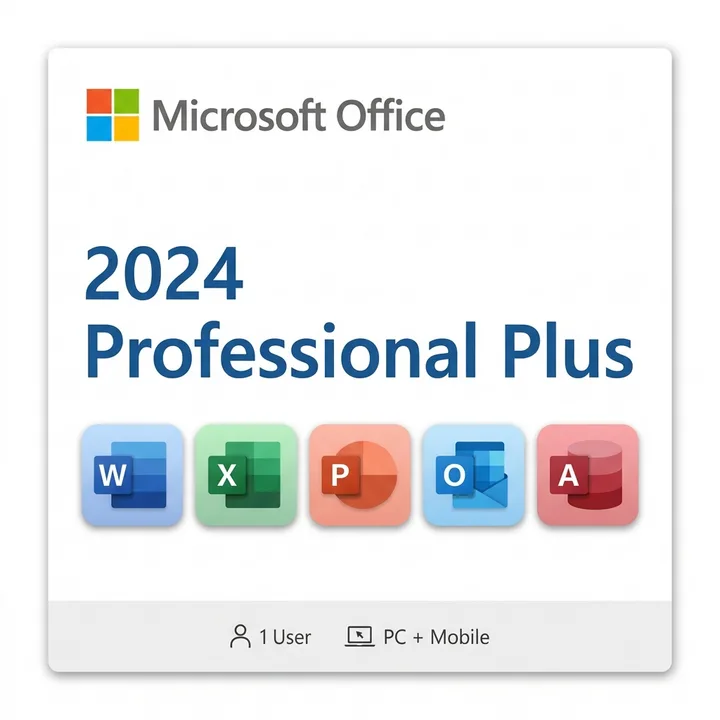
Choosing between Office 2024 Professional Plus vs Microsoft 365 is a critical decision for businesses and professionals—each model offers distinct advantages depending on your workflow, budget, and collaboration needs.
For decades, Microsoft has dominated the productivity software market. Today, you face a pivotal choice: invest in a perpetual license like Office 2024 Professional Plus, or commit to a subscription-based model with Microsoft 365. Both deliver industry-leading tools for word processing, spreadsheets, presentations, and email—but the underlying economics, feature sets, and upgrade paths differ significantly.
Understanding Office 2024 Professional Plus vs Microsoft 365
The core distinction between these two options lies in their licensing model. Office 2024 Professional Plus is a one-time purchase that grants you perpetual rights to use the software on a single Windows PC. You pay once, own the license indefinitely, and receive security updates for the product's lifecycle—typically around 13 years from its release date.
Microsoft 365, conversely, is a subscription service. You pay a recurring monthly or annual fee and gain access to the latest versions of Office applications, cloud storage (OneDrive), and premium features that evolve continuously. Microsoft 365 is available in multiple tiers (Personal, Family, Business Standard, Business Premium, and enterprise plans), each tailored to different user needs.
Pricing and Total Cost of Ownership
When evaluating Office 2024 Professional Plus vs Microsoft 365 from a financial perspective, the math depends on your planning horizon. Office 2024 Professional Plus carries an upfront cost, but no recurring fees. This makes it attractive for budget-conscious organizations or individuals who plan to use the software for many years without constant upgrades.
Microsoft 365 subscriptions require ongoing payments. However, that recurring investment includes automatic updates, cloud collaboration features, and access to new tools as Microsoft releases them. For teams that rely on the latest AI-powered features, advanced cloud integration, or frequent software improvements, the subscription model often justifies its cost.
- Office 2024 Professional Plus: Single purchase; no monthly/annual fees; long-term value for stable workflows
- Microsoft 365 (Business Standard): Recurring cost; includes cloud storage, email hosting, and continuous updates
- Microsoft 365 (Personal/Family): Lower cost entry point; ideal for individuals or small households
Features and Application Coverage
Both options include the core Microsoft Office suite: Word, Excel, PowerPoint, Outlook, Publisher, and Access. However, the feature depth and integration level differ substantially.
Office 2024 Professional Plus delivers the full desktop experience with robust offline capabilities. You get all essential productivity tools without relying on cloud services, making it ideal for users with intermittent internet access or strict data residency requirements.
Microsoft 365 subscriptions unlock advanced collaboration features, including real-time co-authoring in Word and Excel, Teams integration, advanced AI-assisted writing tools (Copilot), and seamless synchronization across devices. If your team works remotely or needs to collaborate on documents simultaneously, Microsoft 365's cloud-native approach provides a significant advantage.
Key Feature Comparison
- Cloud Storage: Office 2024 Professional Plus offers no cloud storage; Microsoft 365 includes 1 TB OneDrive per user
- Real-Time Collaboration: Limited in Office 2024; fully integrated in Microsoft 365
- AI Features: Copilot and advanced AI tools available primarily in Microsoft 365 subscriptions
- Offline Functionality: Full offline access in both; Microsoft 365 syncs when reconnected
- Mobile Access: Office 2024 limited to desktop; Microsoft 365 includes mobile apps
Deployment and IT Management
For enterprise environments, deployment strategy matters. Office 2024 Professional Plus requires individual license activation on each machine, making large-scale rollouts more administratively intensive. However, once deployed, there are no recurring licensing audits or subscription management overhead.
Microsoft 365 centralizes license management through cloud-based admin portals. IT teams can provision users, track usage, enforce security policies, and manage updates globally. This centralized approach reduces administrative burden for organizations managing hundreds or thousands of users, though it requires robust internet connectivity and ongoing subscription budgeting.
Security, Updates, and Support
Security is paramount. Office 2024 Professional Plus receives security patches and critical updates throughout its supported lifecycle, but you must manually install them or rely on Windows Update. Once Microsoft ends support for Office 2024 (expected around 2037), you'll no longer receive security patches.
Microsoft 365 subscriptions benefit from continuous, automatic updates that include the latest security patches, threat protections, and compliance features. This model ensures your software is always current and protected against emerging threats—a significant advantage for regulated industries like finance and healthcare.
Which Option Is Right for Your Organization?
The decision between Office 2024 Professional Plus vs Microsoft 365 depends on your specific requirements:
Choose Office 2024 Professional Plus if:
- You prefer predictable, one-time costs with no ongoing fees
- Your team works primarily offline or in environments with limited internet
- You need a straightforward, perpetual license without subscription management
- You're upgrading from older Office versions and want long-term stability
Choose Microsoft 365 if:
- Your team requires real-time collaboration and cloud integration
- You want access to cutting-edge AI features and continuous innovation
- You need mobile access and cross-device synchronization
- You prioritize automatic security updates and compliance features
- You manage multiple users and need centralized IT administration
For organizations seeking a hybrid approach, many businesses purchase Office 2024 Professional Plus for power users who need offline reliability, while deploying Microsoft 365 for teams that benefit from cloud collaboration. Explore the full range of Office 2024 options for Windows to find the perfect fit for your needs.
Frequently Asked Questions
Can I use Office 2024 Professional Plus offline?
Yes, Office 2024 Professional Plus works fully offline after the initial activation. You don't need an internet connection for daily productivity tasks, making it ideal for remote workers or those with unreliable connectivity.
Does Microsoft 365 require a constant internet connection?
No, Microsoft 365 applications work offline. However, cloud features like real-time co-authoring, file synchronization, and Teams integration require internet access. The software automatically syncs when reconnected.
How long will Office 2024 Professional Plus be supported?
Microsoft typically provides 13 years of support from the product's release date. Office 2024 will reach end-of-support around October 2037, after which security patches will no longer be available.
Is Microsoft 365 more secure than Office 2024 Professional Plus?
Both are secure, but Microsoft 365 offers continuous automatic updates and real-time threat protection. Office 2024 Professional Plus requires manual updates and will eventually lose security support, making Microsoft 365 the better choice for long-term security compliance.
Can I switch from Office 2024 to Microsoft 365 later?
Absolutely. Many organizations start with Office 2024 Professional Plus and migrate to Microsoft 365 as their collaboration needs grow. Your files remain compatible across both platforms.
Whether you prioritize cost predictability or continuous innovation, understanding the differences between Office 2024 Professional Plus and Microsoft 365 empowers you to make the right choice for your productivity needs. Evaluate your team's requirements, budget constraints, and collaboration style to select the solution that drives maximum value.